

વર્ણન
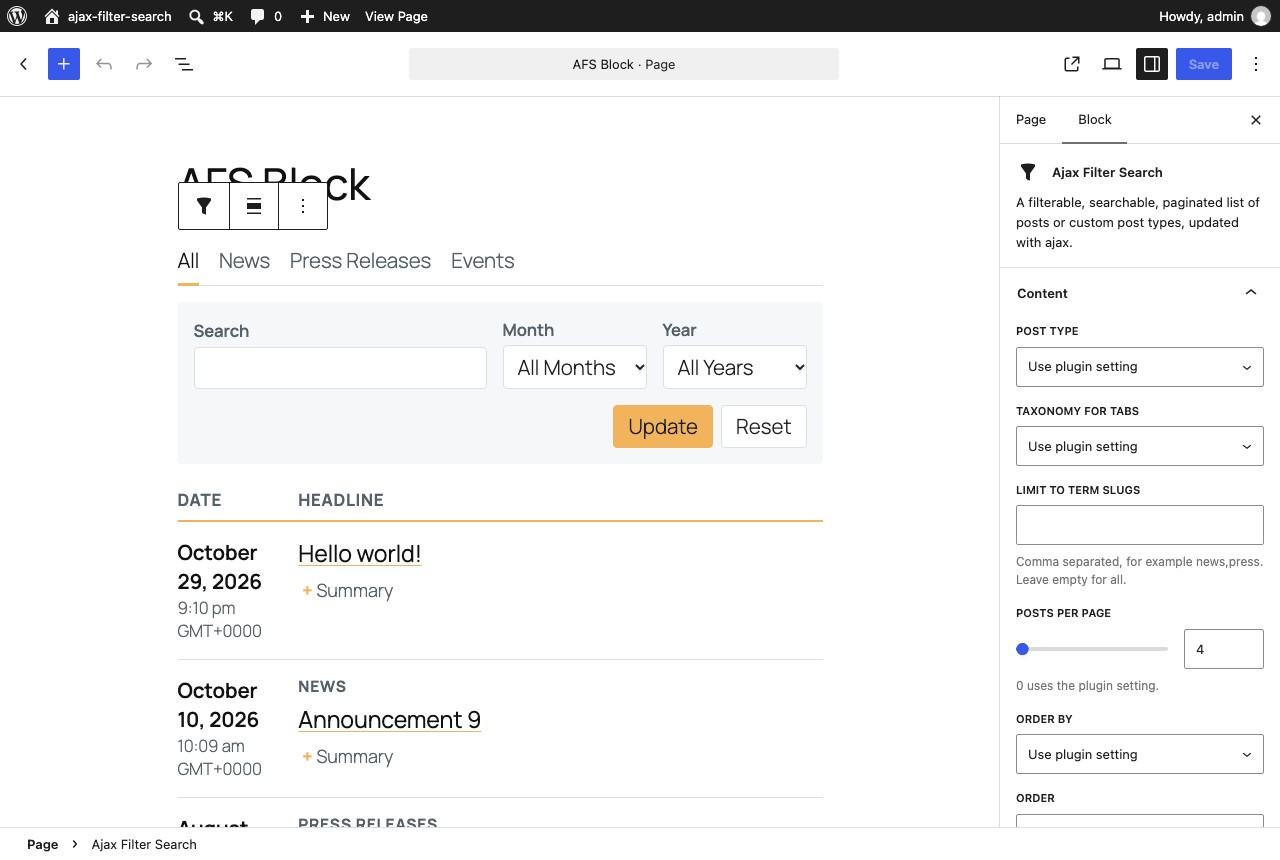
Ajax Filter Search is a small but powerful plugin that displays your posts or custom post type in a list or grid with category tabs, search, month and year filters and pagination, all using ajax so there’s no page reload.
A visitor can filter your posts by search keyword, month, year and category to get the exact content they’re looking for. It’s a great tool for anyone looking to show a reel of press releases, blog posts, upcoming events, whatever you can think of.
Features
- Gutenberg block and shortcode – Add the “Ajax Filter Search” block, or use the
[ajax_filter_search]shortcode anywhere. - Multiple feeds per page – Every feed has its own post type, categories, layout and filters.
- Shareable links – The first feed on a page keeps its filters and page number in the address bar, so a filtered view can be bookmarked or shared, and the back button works. It also works with JavaScript turned off.
- Fast, light front end – Plain JavaScript (no jQuery), a small stylesheet, and assets that load only on pages that contain a feed. No external fonts or icon libraries.
- Accessible – Labeled form fields, keyboard friendly tabs and buttons, live-region updates and a current-page indicator.
- Easy to theme – Set your accent color in Settings, or override any
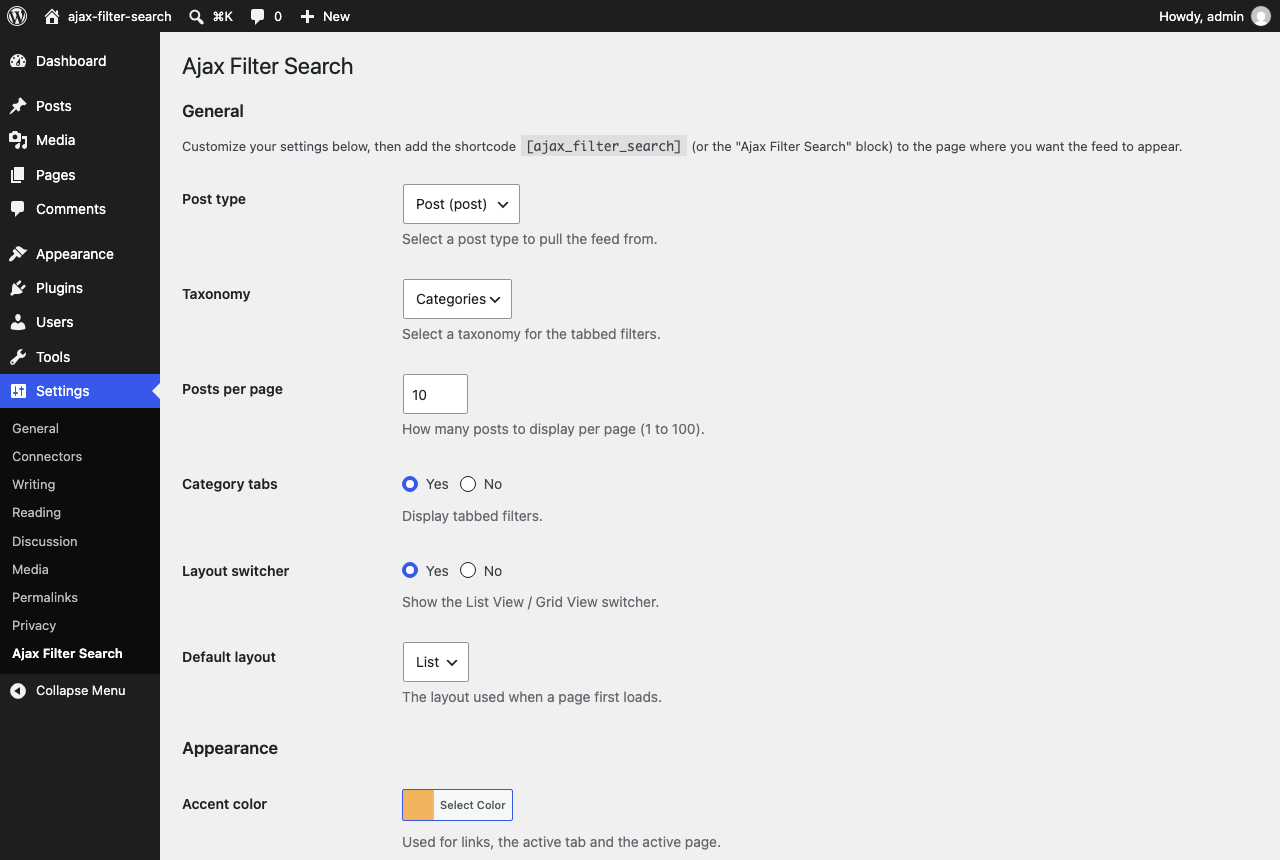
--afs-*CSS variable. Developers can override the item template and use filters. - Settings panel – Choose the default post type, taxonomy, posts per page, layout and more under Settings > Ajax Filter Search.
Example shortcodes
[ajax_filter_search]

[ajax_filter_search terms="news,press-releases" posts_per_page="12" layout="grid"]

[ajax_filter_search post_type="event" post_tax="event_type" orderby="title" order="ASC" show_views="false"]
Shortcode attributes
All attributes are optional. Anything you leave out uses the setting from Settings > Ajax Filter Search.
post_type– post type slug.post_tax– taxonomy slug used for the category tabs (ornone).terms– comma separated term slugs to limit the feed to. (filter_byandfilter_typeare accepted as older names for the same thing.)posts_per_page– 1 to 100.layout–listorgrid, the layout the feed starts in.orderby–date,titleormodified.order–DESCorASC.search– a keyword to start with.filter_years/filter_months– start on a year (for example 2025) or month (1 to 12).show_tabs,show_views,show_search,show_months,show_years–trueorfalse.
Please Rate Ajax Filter Search!
Your ratings make a big difference! If you like and use Ajax Filter Search, please consider taking the time to rate the plugin. Your ratings and reviews will help this plugin grow and provide the motivation needed to keep pushing it forward.
સ્ક્રીનશોટ
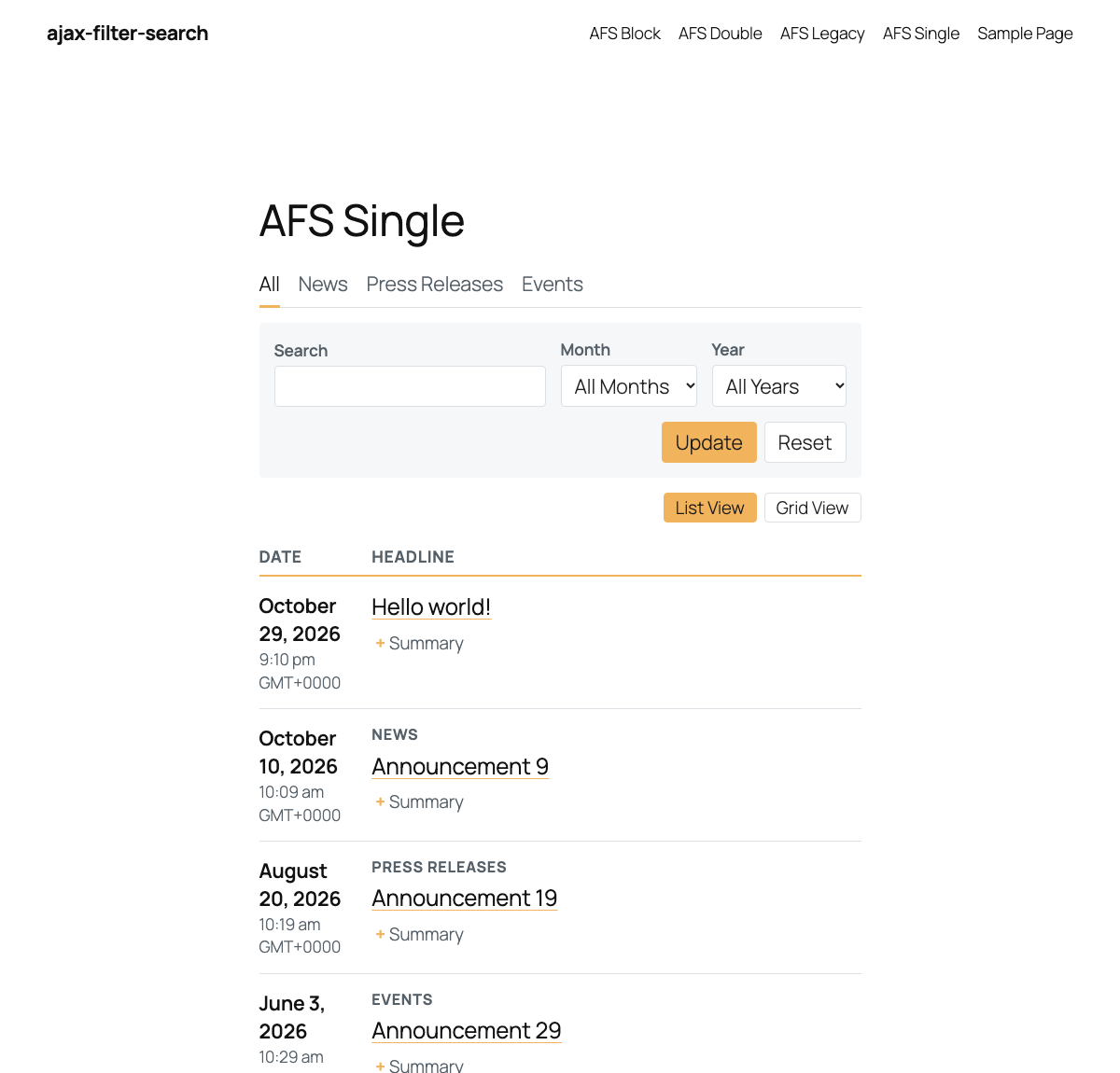
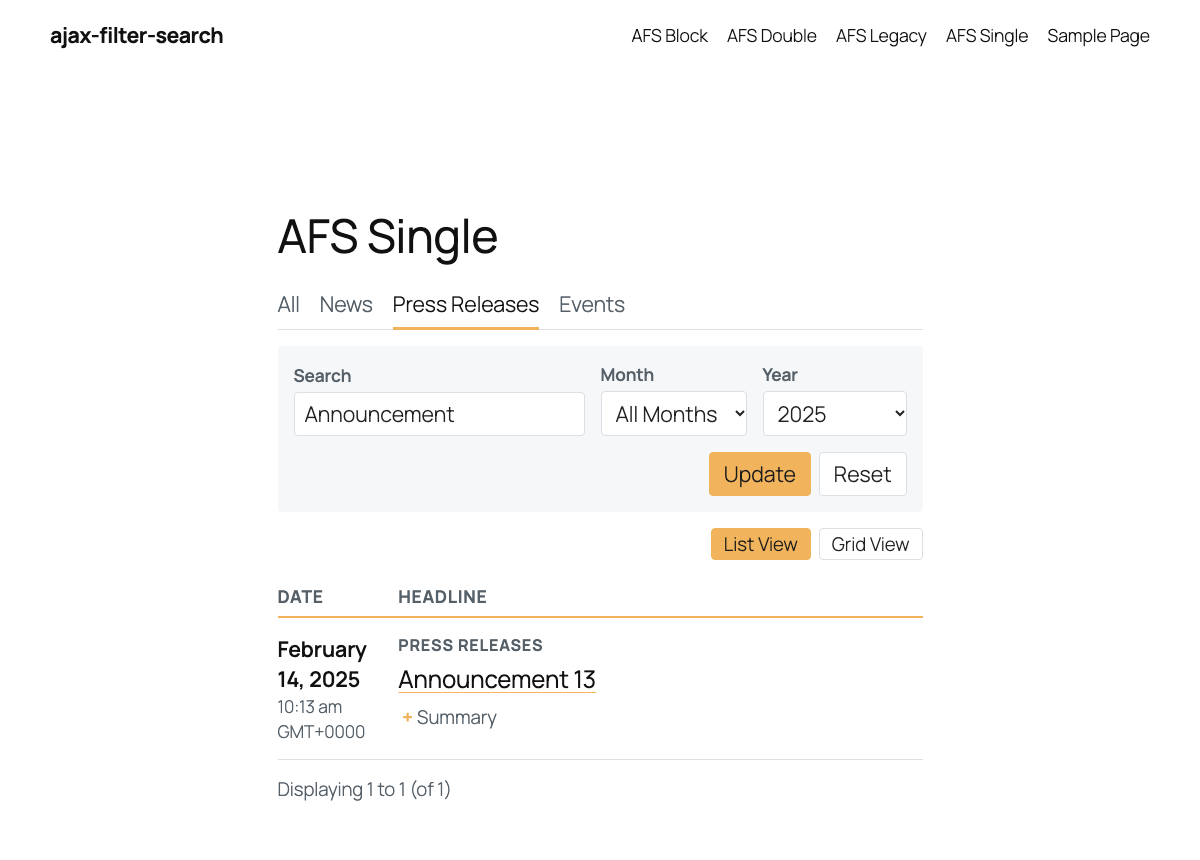
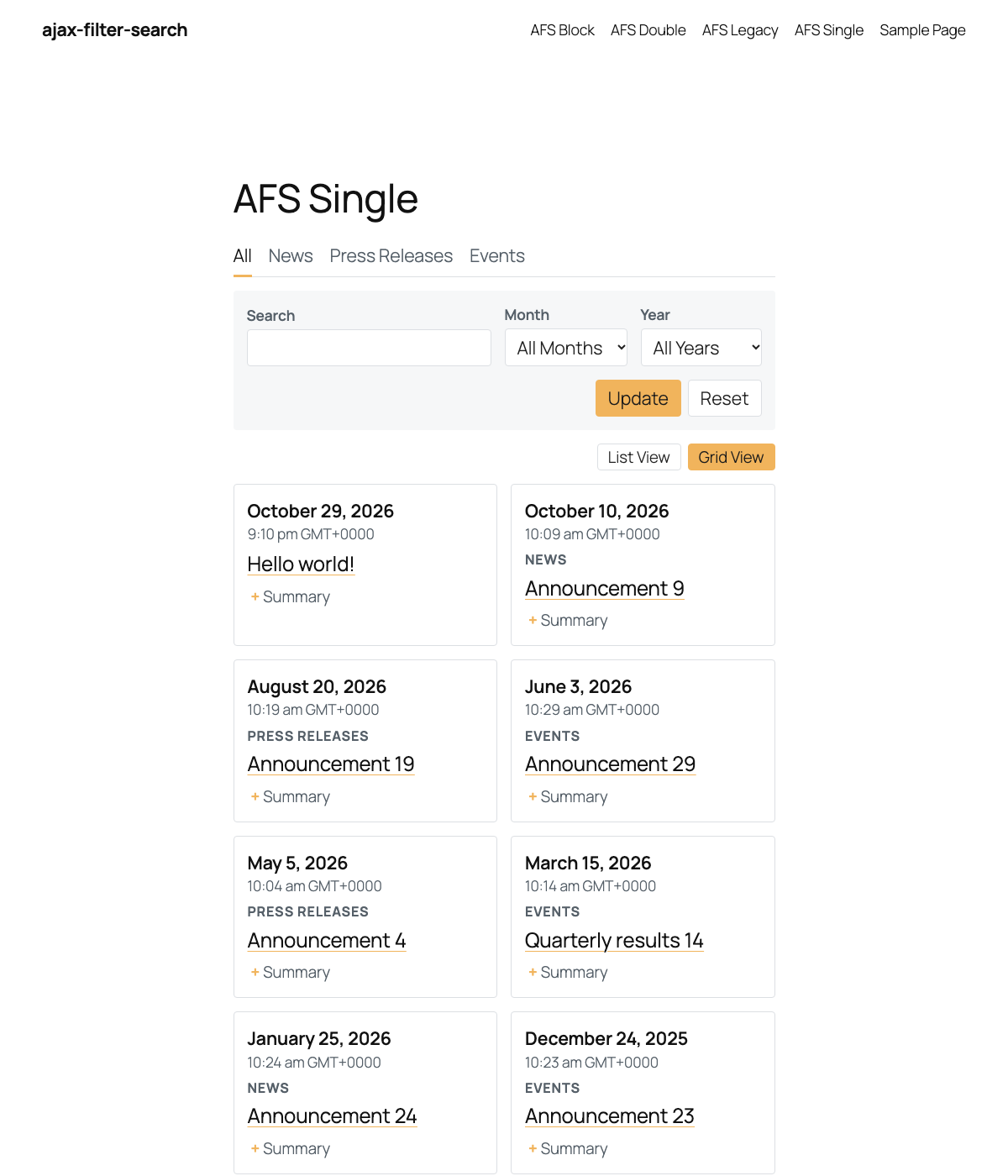
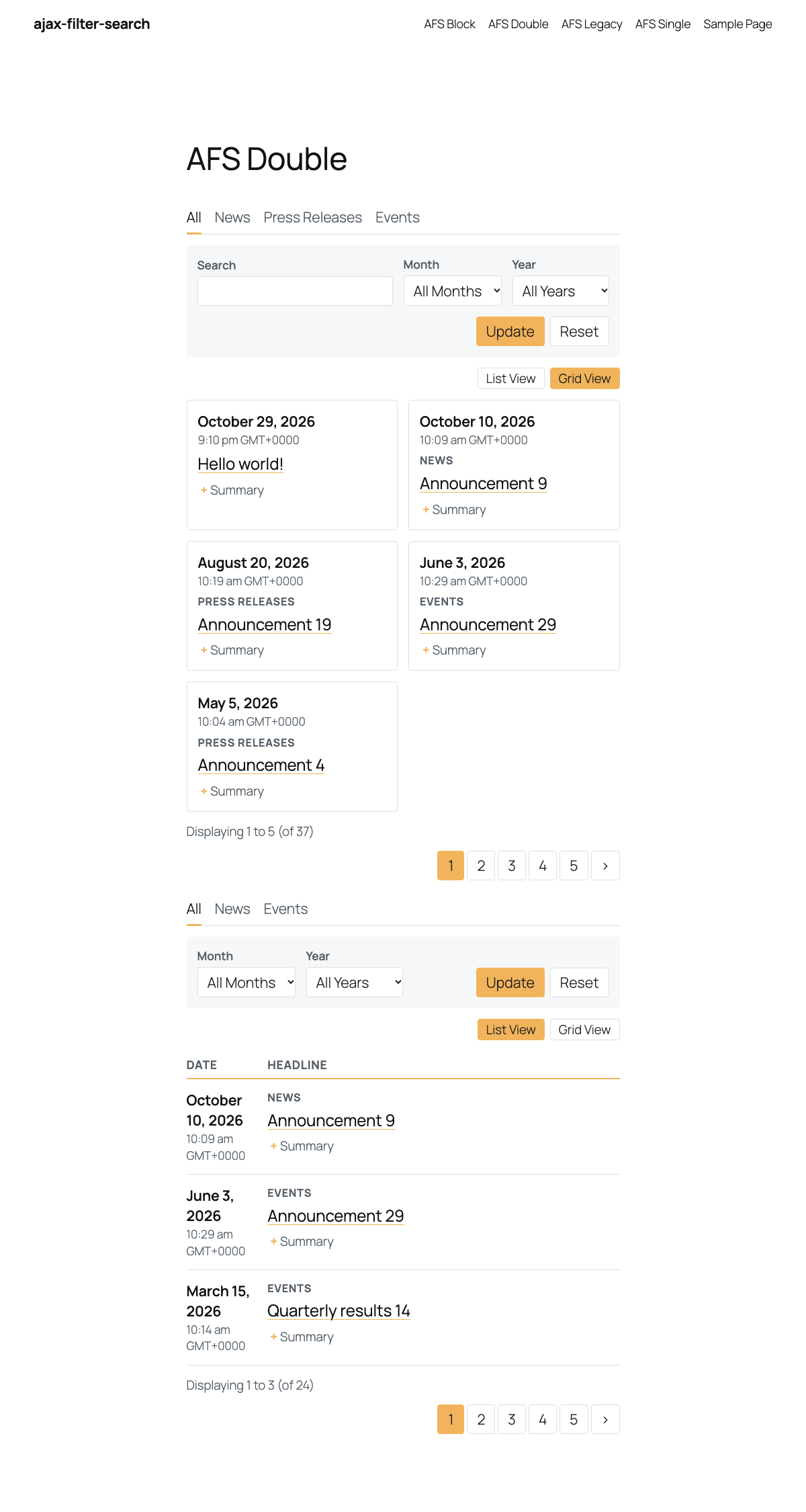

બ્લોક્સ
આ પ્લગિન 1 બ્લોક આપે છે.
- Ajax Filter Search A filterable, searchable, paginated list of posts or custom post types, updated with ajax.
સ્થાપન
Using The WordPress Dashboard
- Navigate to ‘Add New’ in the plugins dashboard
- Search for ‘Ajax Filter Search’
- Click ‘Install Now’
- Activate the plugin on the Plugin dashboard
Uploading in WordPress Dashboard
- Navigate to ‘Add New’ in the plugins dashboard
- Navigate to the ‘Upload’ area
- Select
ajax-filter-search.zipfrom your computer - Click ‘Install Now’
- Activate the plugin in the Plugin dashboard
Using FTP
- Download
ajax-filter-search.zip - Extract the
ajax-filter-searchdirectory to your computer - Upload the
ajax-filter-searchdirectory to the/wp-content/plugins/directory - Activate the plugin in the Plugin dashboard
એફએક્યુ (FAQ)
-
What are the steps to getting Ajax Filter Search to display on my website?
-
- Add the “Ajax Filter Search” block, or copy the shortcode
[ajax_filter_search], into your page. - Optionally adjust the defaults under Settings > Ajax Filter Search.
- View the page and watch Ajax Filter Search fetch your posts.
- Add the “Ajax Filter Search” block, or copy the shortcode
-
Is it possible to only display posts from 1 or 2 categories?
-
Yes. Add the
termsattribute with the term slugs you want, separated by commas, for example[ajax_filter_search terms="news,events"]. Make sure the slugs belong to the taxonomy selected for that post type. (If you usedfilter_bywith an older version, it still works.) -
Is the ajax functionality secure?
-
The filters call a read-only REST endpoint (
/wp-json/afs/v1/results) that only ever returns published content of public post types. All incoming values are validated and sanitized on the server, and the endpoint cannot change anything on your site, so no nonce is needed. -
I’m upgrading from 1.x. What changes?
-
Version 2.0.0 is a major update. Please back up your site and try it on a staging copy first. The feed has new markup and a small new stylesheet, so custom CSS written for the old Bootstrap-based markup needs updating, and the Font Awesome icon font is no longer loaded. Theme template overrides keep working. A compatibility layer keeps the 1.x functions, constants, the first feed’s element IDs, the old script handles and the old ajax action working for now; it is deprecated and can be switched off with
add_filter( 'afs_enable_legacy_compat', '__return_false' );. Thefilter_byattribute now limits a feed to category slugs, as the 1.x readme described; usesearchfor a starting keyword. A short migration guide is in the plugin’s GitHub repository (docs/MIGRATION-1.x-to-2.0.md). -
Can I change how each result looks?
-
Yes. Copy
afs-template/default.phpfrom the plugin folder intoyour-theme/afs-template/default.php(a child theme is checked first) and edit it. Templates written for version 1.x keep working. You can also use theafs_query_argsandafs_template_filefilters. -
Does it load anything from third-party servers?
-
No. Version 1.x loaded Font Awesome from a CDN on every page. Version 2.0.0 loads nothing external.
-
How do I change the colors?
-
Pick the accent color under Settings > Ajax Filter Search. For more control, set CSS variables in your theme, for example
.afs { --afs-accent: #0a7; --afs-radius: 0; }. -
What happens to my data if I uninstall?
-
The plugin’s single settings option is removed when you delete the plugin. Your posts are never touched.
સમીક્ષાઓ


ફાળો આપનાર & ડેવલપર્સ

“Ajax Filter Search” ને તમારી ભાષામાં અનુવાદ કરો.
વિકાસમાં રસ ધરાવો છો?
કોડ બ્રાઉઝ કરો, જોવોઅસ્વીએન રેપોઝિટરીમાંથી,અથવા સબ્સ્ક્રાઇબ કરોડેવલપમેન્ટ દ્વારાઆરઅસઅસ.
ચેન્જલૉગ
2.0.0
- New: Gutenberg block with editor controls and live preview.
- New: Multiple feeds on one page, each with its own settings.
- New: Shareable, bookmarkable filter state in the address bar for the first feed on a page; works without JavaScript; back button supported.
- New: Shortcode attributes
terms,layout,orderby,order,search,show_tabs,show_views,show_search,show_months,show_years.filter_bynow does what the old documentation said (limit to category slugs). - New: Accent color setting and
--afs-*CSS variables. - New: Settings for the default layout;
afs_query_argsandafs_template_filefilters. - Security: Replaced the old admin-ajax handler with a validated read-only REST endpoint, escaped all output, and validate all settings on save. Includes every fix from 1.0.4.
- Improved: Front end rewritten in plain JavaScript (jQuery no longer required) with a small, scoped stylesheet. Assets load only on pages that use the plugin.
- Improved: Accessibility – labeled fields, ARIA states, keyboard friendly controls, announced updates.
- Improved: Fully translatable; dates and month names follow the site language and settings.
- Improved: Works with PHP 7.4 to 8.4 and WordPress 6.0 to 7.1; removed all PHP warnings from earlier versions (for example when two feeds shared a page).
- Improved: Child themes are checked for template overrides; the settings page and its scripts only load on the plugin’s own screen.
- Added: A deprecated compatibility layer for 1.x code: the 1.x functions, classes and constants, the old ajax action (now served by the same validated code), the first feed’s 1.x element IDs, the old script and style handles, and the
ajaxurl/scriptpathglobals on feed pages. Switch it off with theafs_enable_legacy_compatfilter. - Removed: The Font Awesome CDN, the bundled Bootstrap-derived CSS, SCSS sources and development junk from the plugin package.
- Added:
uninstall.phpremoves the plugin’s setting on deletion.
1.0.4
- Security: Hardened the ajax request handler. All submitted values are now validated.
- Security: Draft, scheduled and pending posts are no longer included in ajax results.
- Security: The settings-screen taxonomy lookup is now limited to administrators.
- Fix: Filtering no longer causes a fatal error on PHP 8.
1.0.3
- Function / Structure Improvements
- Bug fixes to address Page loop error.
- Added a template capability to the loop to allow for customization in the future.
- Added “filter_by” attribute to the shortcode to allow for selected categories in the loop
- Began ground work for color selection options in settings page
1.0.2
- Update to test Version #
1.0.1
- CSS Edits, A Few Bug Fixes, Added Screenshots, Robots text edits, Compiled SCSS files
1.0.0
- Ajax Filter Search