
વર્ણન
Plain Social Sharing Buttons aim to bring to your site a lightweight and eye-catching floating bar of social sharing buttons.
The plugin is tested with WooCommerce and Elementor and works as expected. The produced HTML, is W3C validated.
Available Buttons
- Mastodon
- Diaspora
- Tumblr
- Text resizer
Plain Social Sharing Buttons work out of the box after installation and activation, but there are many options you can alter at the Settings > Plain Social Sharing page.
Available Options
- Choose on what devices the sidebar will appear (Desktop, Tablet, Mobile)
- Choose the kind of pages the sidebar will appear (Posts, Pages, Home, Attachments, Categories, etc.)
- Modify the appearance
- Modify the buttons’ text
- Cache the social shares counter, for better performance
- Hide the social shares counter below a minimum number of shares, to avoid negative social proof
- Text resizing for selectable parts of your site
New features will be added according to demand.
સ્ક્રીનશોટ
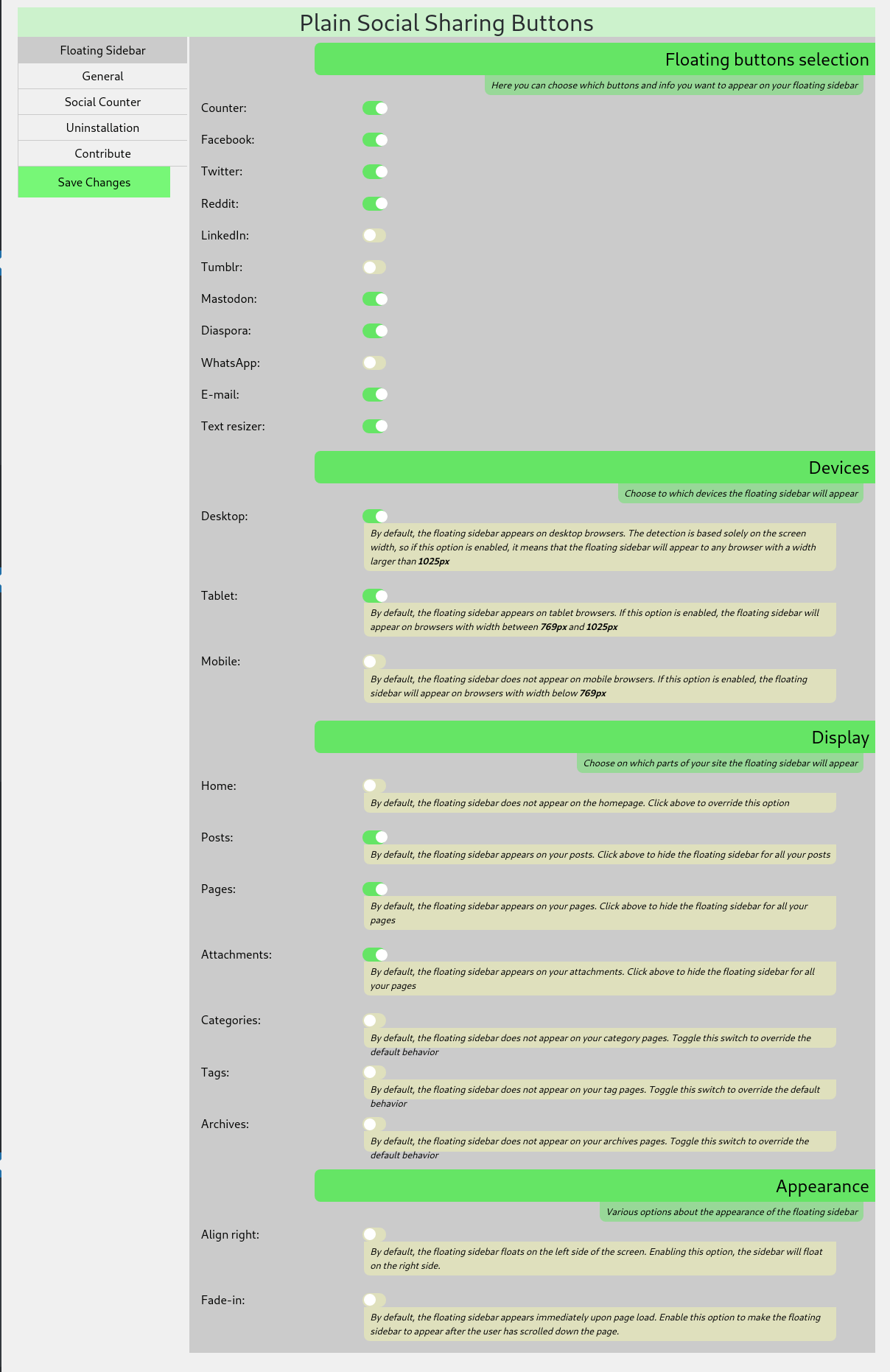
Floating Sidebar Settings: You can perform a number of adjustments in the admin panel section 
Plugin General Settings: You can also set general social media and plugin appearance options 
Social Counter Settings: Adjust the way the social counter will work 
Uninstallation Options: Choose which settings and data to keep in case of uninstallation 
Outcome The outcome of the plugin with default settings, on a freshly installed wordpress site
સ્થાપન
Minimum Requirements
- WordPress 3.1 or greater
- PHP version 5.3 or greater
- MySQL version 5.0 or greater
Recommended Requirements
- WordPress 4.6 or greater
- PHP version 7.3 or greater
- MySQL version 5.6 or greater
Installation
- Install using the WordPress built-in Plugin installer, or Extract the zip file and drop the contents in the
wp-content/plugins/directory of your WordPress installation. - Activate the plugin through the ‘Plugins’ menu in WordPress.
- Go to Settings > Plain Social Sharing to alter the end-user appearance of the plugin
સમીક્ષાઓ
There are no reviews for this plugin.
ફાળો આપનાર & ડેવલપર્સ

“Plain Social Sharing Buttons” ને તમારી ભાષામાં અનુવાદ કરો.
વિકાસમાં રસ ધરાવો છો?
કોડ બ્રાઉઝ કરો, એસવીએન રીપોઝીટરીમાંથી ચેકઆઉટ કરો, અથવા આરએસએસ દ્વારા ડેવલપમેન્ટ લોગમાં સબ્સ્ક્રાઇબ કરો.
ચેન્જલૉગ
0.6.0 – 2019-03-01
- Added WhatsApp to the available social networks
- Added a cache bypass system for the social counter. Now you can choose to display fresh social sharing stats even if you are using a caching system
- Added the option to keep your settings and data in case you uninstall the plugin.
0.5.0 – 2019-02-26
- Code refactoring
- Changes to the admin panel
- Html produced is now w3c validated
- Added Tumblr to the available social networks
- New ability to choose the container element for the text resizing
0.4.0 – 2019-02-24
- Code refactoring
- Added LinkedIn to the available social networks
- Added Mastodon to the available social networks
- Added Diaspora to the available social networks
0.3.1 – 2019-02-22
Test:
- The plugin was tested with wordpress version 5.1 and works as expected
Fix:
- In some occasions the facebook shares failed to be calculated
- Some minor code changes
0.4.0 – 2019-02-21
- Code refactoring for increased performance
- Added a support page for the admins
- Added LinkedIn sharing button
- Added Diaspora sharing button
0.3.1 – 2019-02-21
New:
- Feature: Social counter for posts and pages
- Feature: Fade-in the floating sidebar
0.2.0 – 2019-02-20
New:
- Revamped admin panel
- Feature: Choose the devices the floating bar will appear
- Feature: Choose the page types the floating bar will appear
- Feature: Choose between right and left alignment of the floating bar
0.1.0 – 2019-02-14
- Initial Public Release