

વર્ણન
CS Size Chart is a WooCommerce plugin that allows store owners to create and display accurate size charts and size guides on product pages.
By providing clear measurement tables and sizing instructions directly within the shopping experience, the plugin helps customers choose the correct size before purchasing, reducing confusion and minimizing size-related returns.
Store owners can create unlimited size charts, use predefined templates, and assign charts globally, by category, or per individual product. The plugin is suitable for clothing, footwear, and apparel stores that use regional or international sizing systems.
CS Size Chart is designed to be lightweight, privacy-friendly, and easy to use. Core functionality runs entirely on your WordPress site and follows WordPress coding standards.
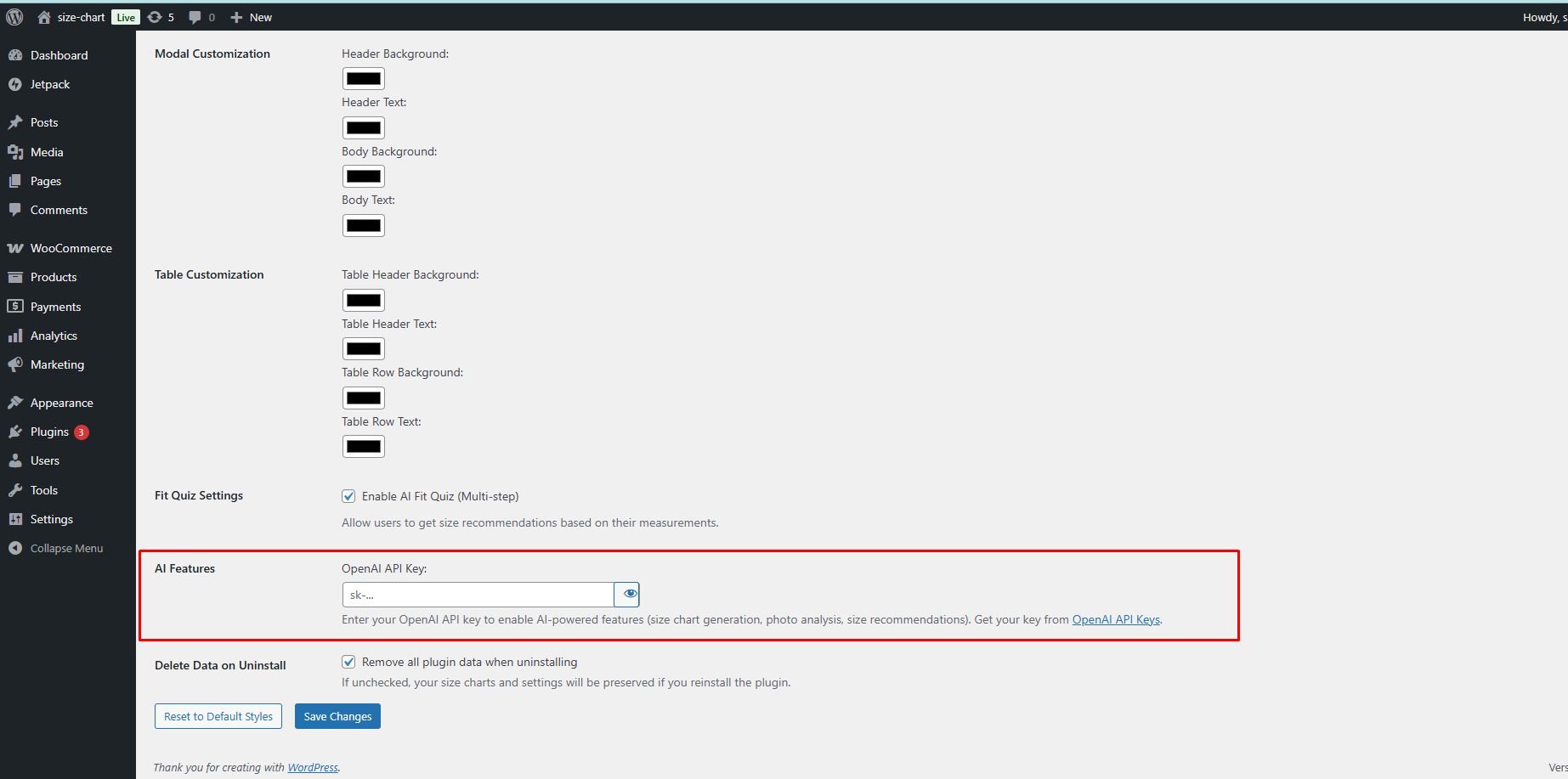
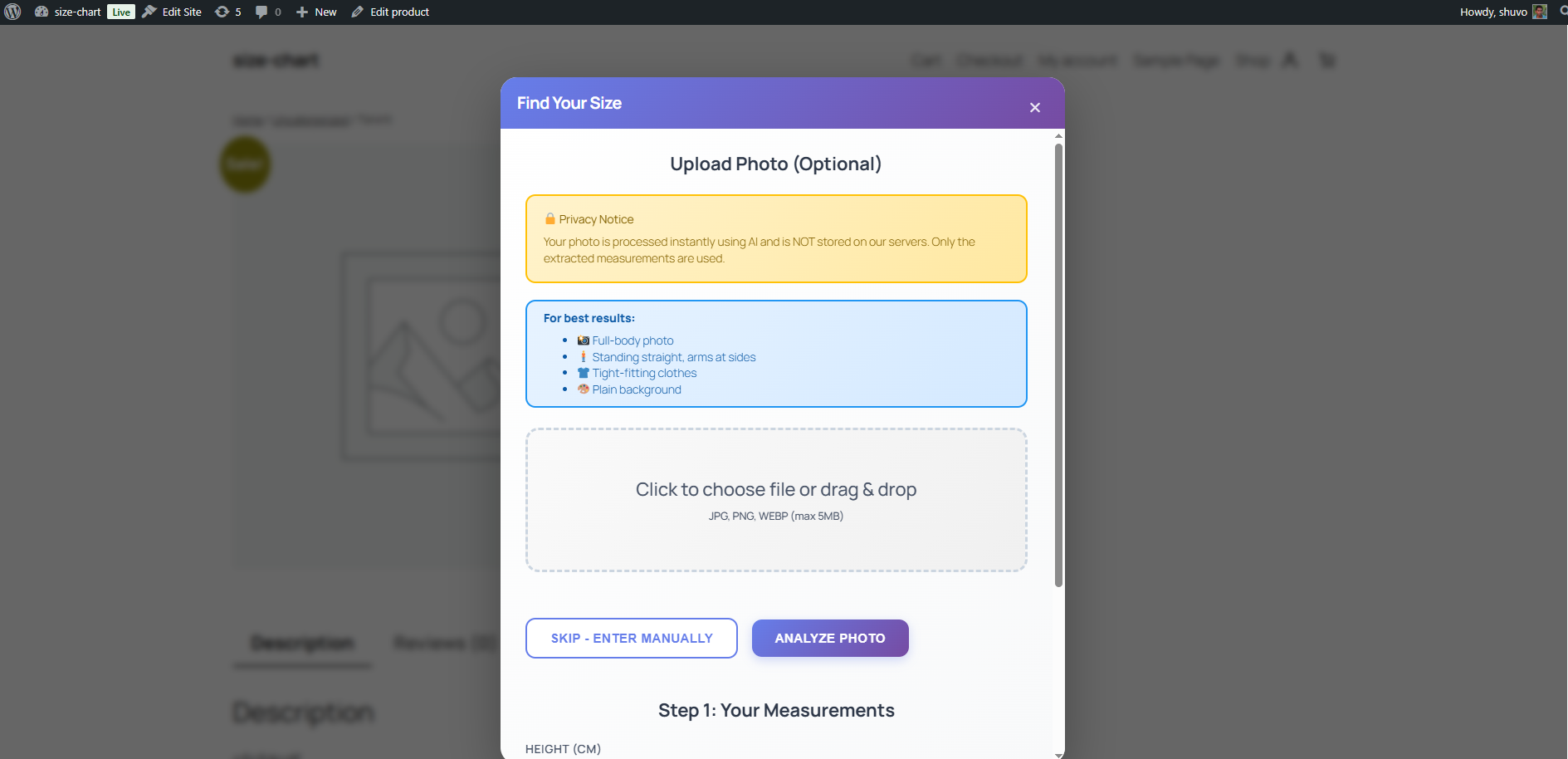
Optional AI-powered size recommendations are available but disabled by default. These features only work if the site owner provides their own OpenAI API key and explicitly enables them.
Key Features
- Reduce size-related returns with clear and structured size charts
- Create unlimited WooCommerce size charts
- Assign charts globally, by product category, or per product
- Visual table builder with no coding required
- Pre-built templates for common apparel sizes
- Fully responsive and mobile-friendly design
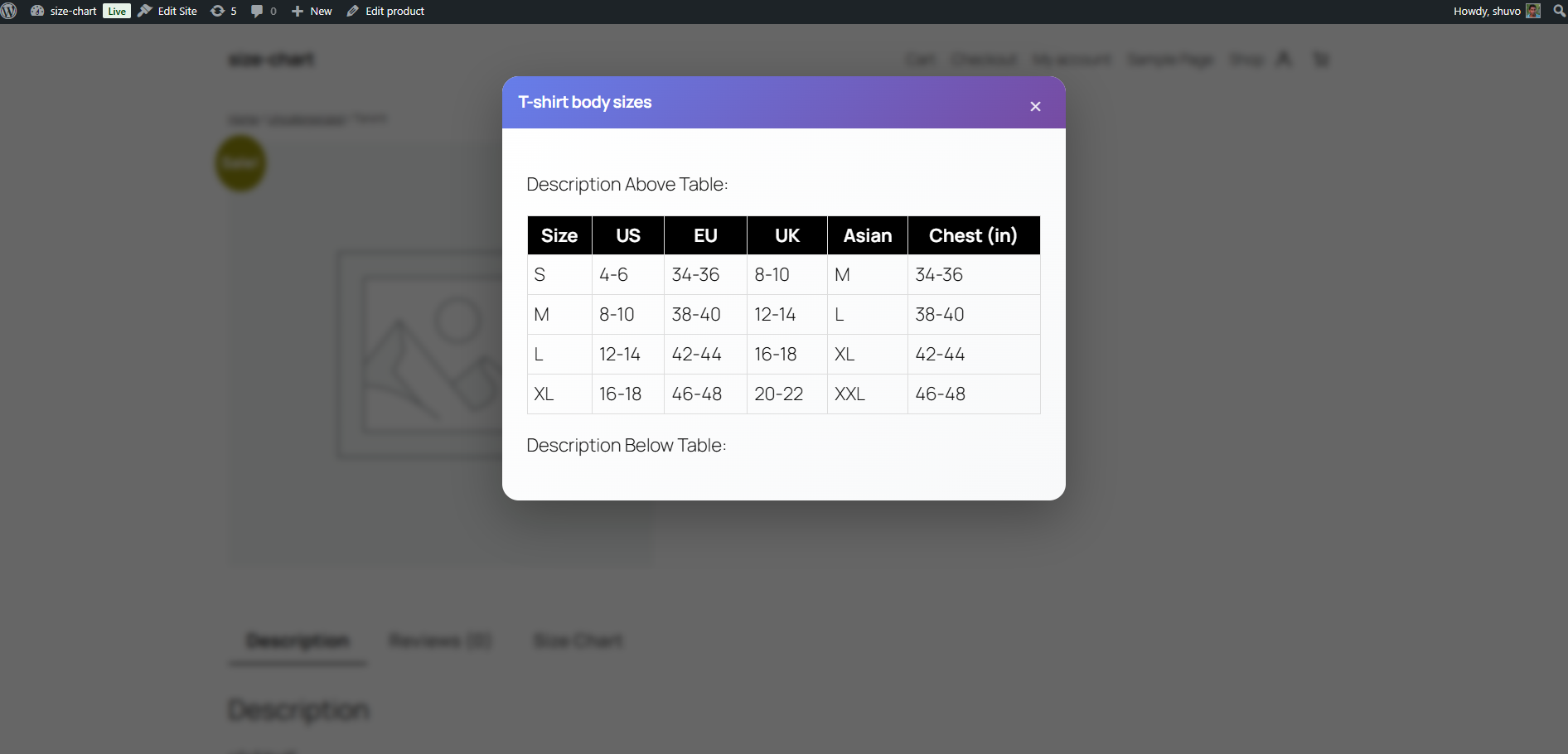
- Display charts as a product tab, popup modal, or shortcode
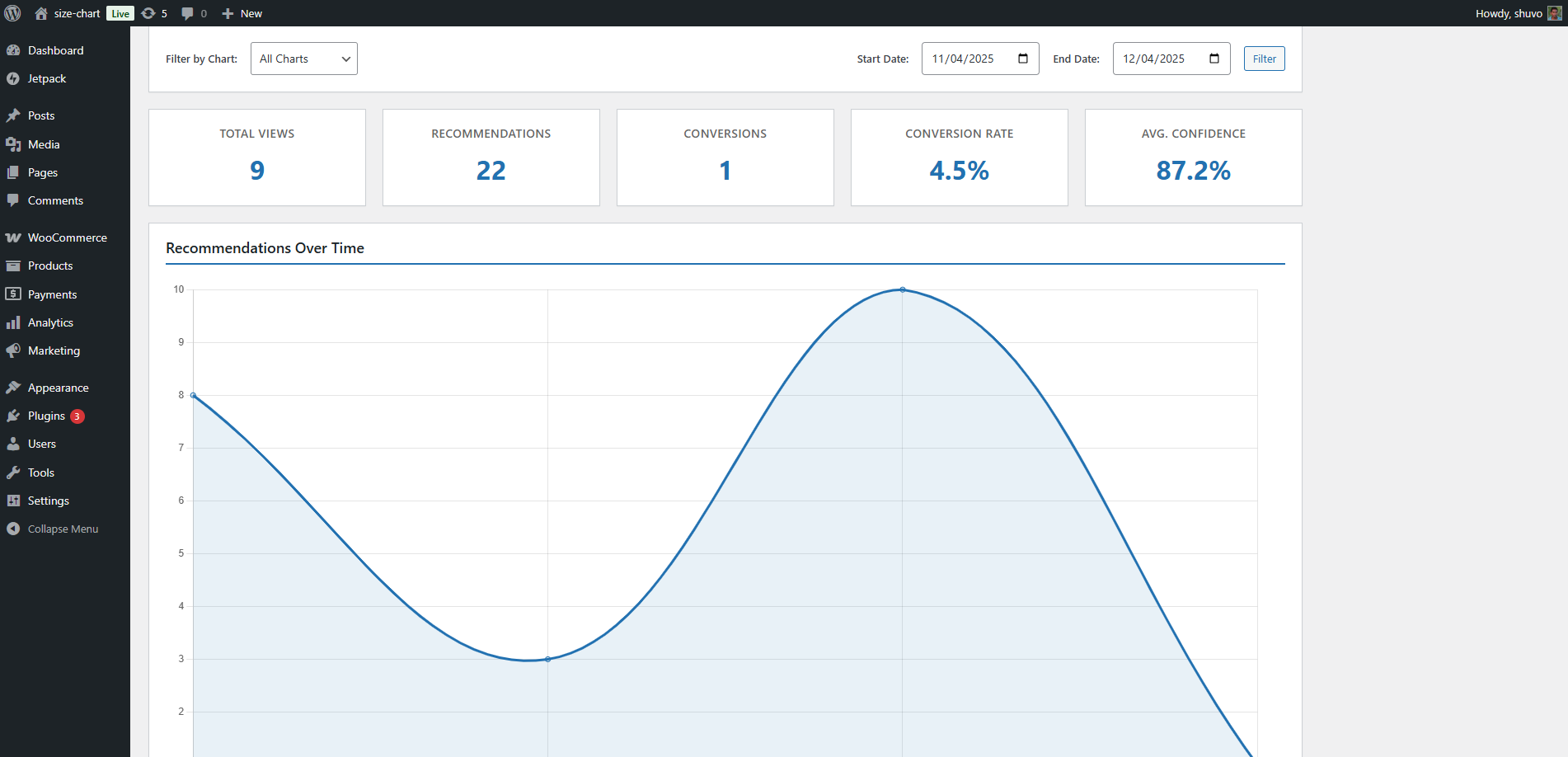
- Optional local analytics stored in your database
- Optional AI-based size recommendations using your own OpenAI API key
All AI-related functionality is optional, disabled by default, and only runs after manual configuration.
How It Works
-
Create a size chart
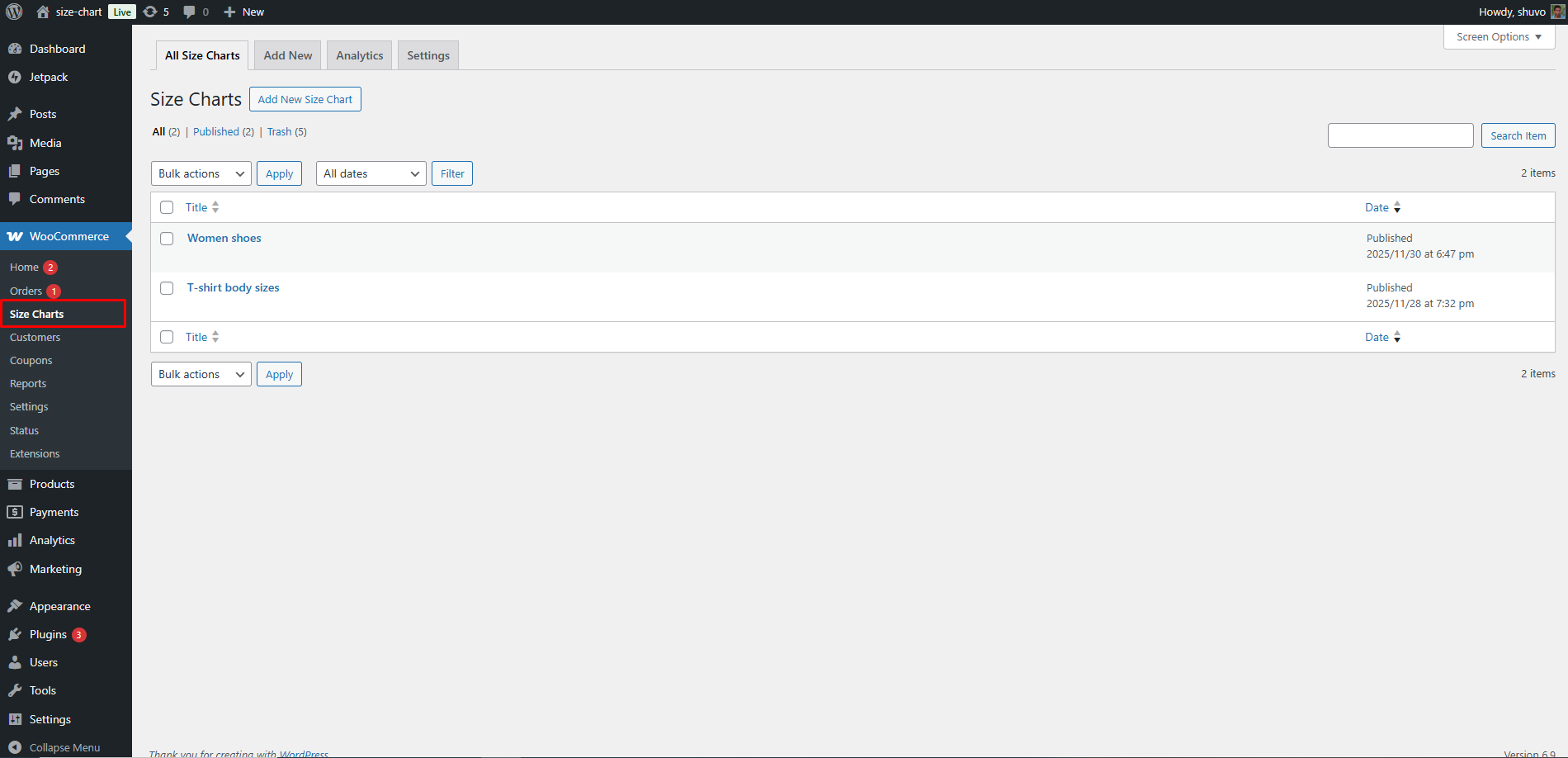
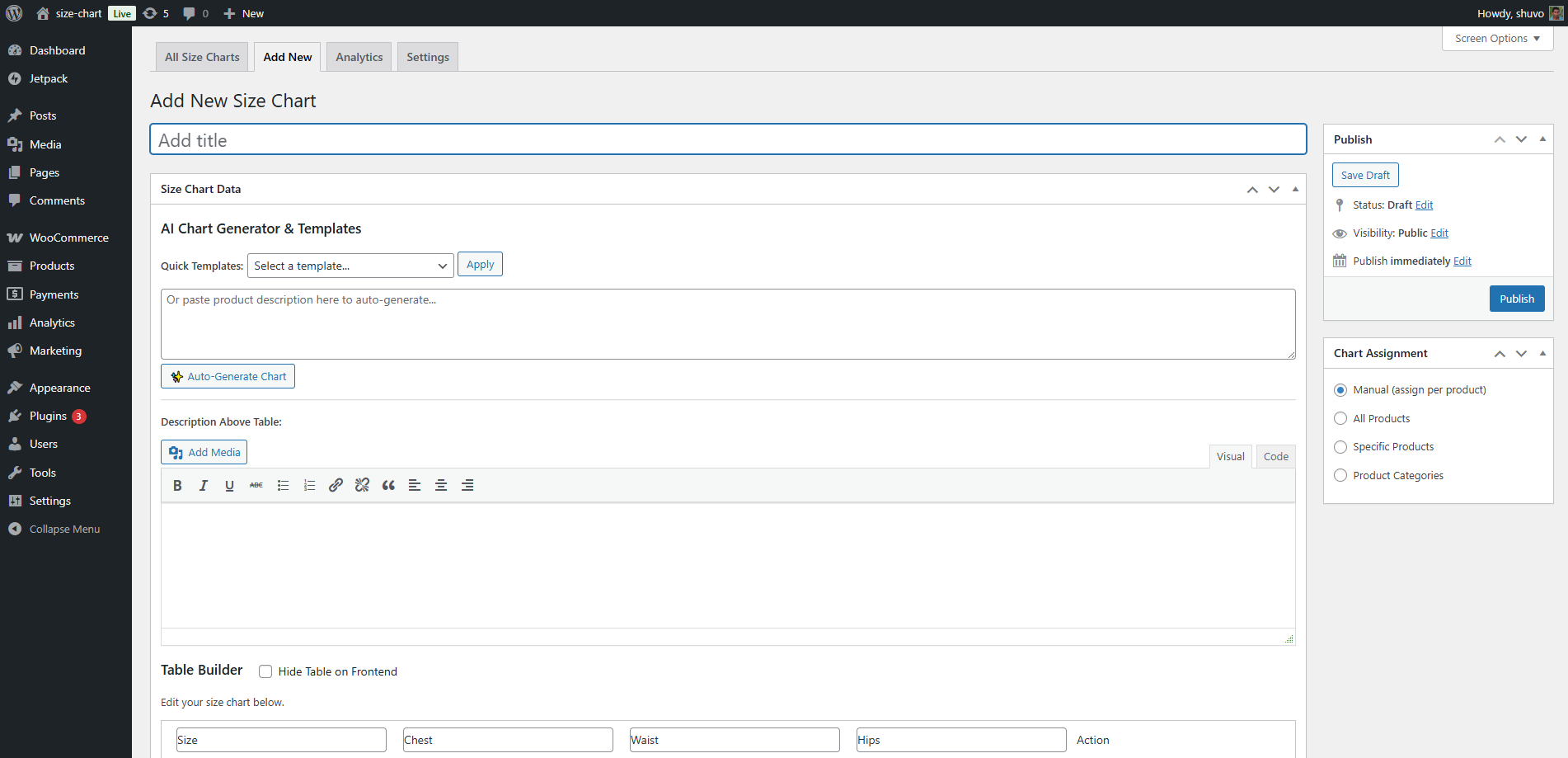
- Go to Size Charts Add New
- Use the table builder or select a template
- Add measurement instructions
- Publish the chart
-
Assign the chart
- Globally for all products
- By product category
- Per individual product
-
Display the chart
- As a WooCommerce product tab
- In a modal popup
- Using the shortcode:
[cssc_size_chart id=”123″]
-
Analytics (optional)
- Chart views
- AI recommendation requests
- Recommended sizes and confidence values
No personally identifiable information is stored.
-
AI size quiz and photo measurements (optional)
- Quiz may collect height, weight, and fit preference
- Optional photo-based measurement support
- Requires an OpenAI API key
- Features remain inactive unless enabled in settings
Third Party Services
OpenAI API
* Used only for optional AI size recommendations
* Data sent: quiz inputs and optional photos
* Data stored: recommendation results only
* Privacy Policy: https://openai.com/privacy
* Terms: https://openai.com/terms
The plugin is not affiliated with or endorsed by OpenAI.
સ્ક્રીનશોટ
સ્થાપન
- Upload the plugin to
/wp-content/plugins/cs-size-chart/or install via Plugins Add New - Activate the plugin
- Ensure WooCommerce is active
- Create charts under Size Charts in the admin menu
- Configure optional settings under Size Charts Settings
એફએક્યુ (FAQ)
-
Does this plugin require WooCommerce?
-
Yes. CS Size Chart is designed specifically for WooCommerce product pages.
-
Does the plugin send data to external servers?
-
No, unless AI features are enabled.
All core functionality and analytics run entirely on your site.
If AI features are enabled, limited data may be sent to OpenAI for generating recommendations. -
Are photos stored permanently?
-
No. Photos are processed temporarily during upload and are not stored by this plugin.
-
Are AI features enabled automatically?
-
No. AI features require:
1. A valid OpenAI API key
2. Manual activation in settings
3. User interaction -
Which OpenAI API is used?
-
The plugin uses OpenAI APIs for recommendation logic, depending on configuration.
સમીક્ષાઓ

ફાળો આપનાર & ડેવલપર્સ

“CS Size Chart” ને તમારી ભાષામાં અનુવાદ કરો.
વિકાસમાં રસ ધરાવો છો?
કોડ બ્રાઉઝ કરો, જોવોઅસ્વીએન રેપોઝિટરીમાંથી,અથવા સબ્સ્ક્રાઇબ કરોડેવલપમેન્ટ દ્વારાઆરઅસઅસ.
ચેન્જલૉગ
1.0.0
- Initial release
- Size chart creation and assignment
- WooCommerce integration
- Shortcode support
- Optional local analytics
- Optional AI size recommendations