

વર્ણન
Diigo Online Bookmarking Widget
Display bookmarks from Diigo in your sidebar. Uses Diigo API to fetch the bookmarks.
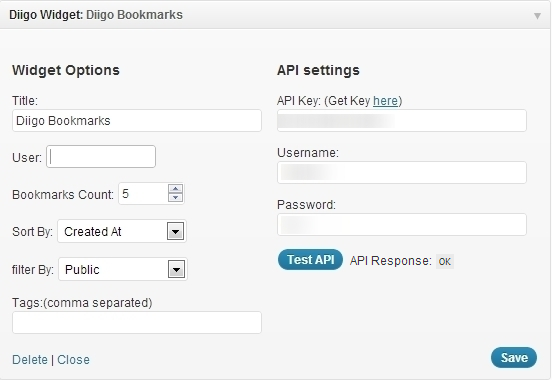
- First get an API key from here
- Use this key along with your username and password in the widget settings.
- Then click the “Test API” button to test the api response.
- Set widget options. You can mention the ‘User’ input to fetch bookmarks from a particular user or leave it empty to fetch any public bookmark.
સ્ક્રીનશોટ

સ્થાપન
- Upload
diigo-widget.phpto the/wp-content/plugins/directory - Activate the plugin through the ‘Plugins’ menu in WordPress
- Go to Appearance->Widget and use ‘Diigo Widget’ on your siderbar
- Get your diigo API key from http://www.diigo.com/api_keys/new/
- Enter your Diigo account username and password
સમીક્ષાઓ
આ પ્લગઇન માટે કોઈ સમીક્ષાઓ નથી.
ફાળો આપનાર & ડેવલપર્સ

“Diigo Bookmarks Widget” ને તમારી ભાષામાં અનુવાદ કરો.
વિકાસમાં રસ ધરાવો છો?
કોડ બ્રાઉઝ કરો, જોવોઅસ્વીએન રેપોઝિટરીમાંથી,અથવા સબ્સ્ક્રાઇબ કરોડેવલપમેન્ટ દ્વારાઆરઅસઅસ.